Your crosshair is the ultimate bridge between your raw aim and a clean, satisfying headshot. In 2026, Counter-Strike 2 offers an insane level of customization - ranging from minimalist static dots to dynamic setups used by the absolute best players on the planet.
In this deep-dive guide, we are breaking down every single way to tweak your crosshair. No boring fluff - just raw, actionable methods from basic in-game sliders to hardcore console variables that Valve loves to hide.
3 Ways to Customize Your Crosshair in CS2
Right now, the game lets you adjust your crosshair using three distinct methods. Pick the one that suits your workflow:
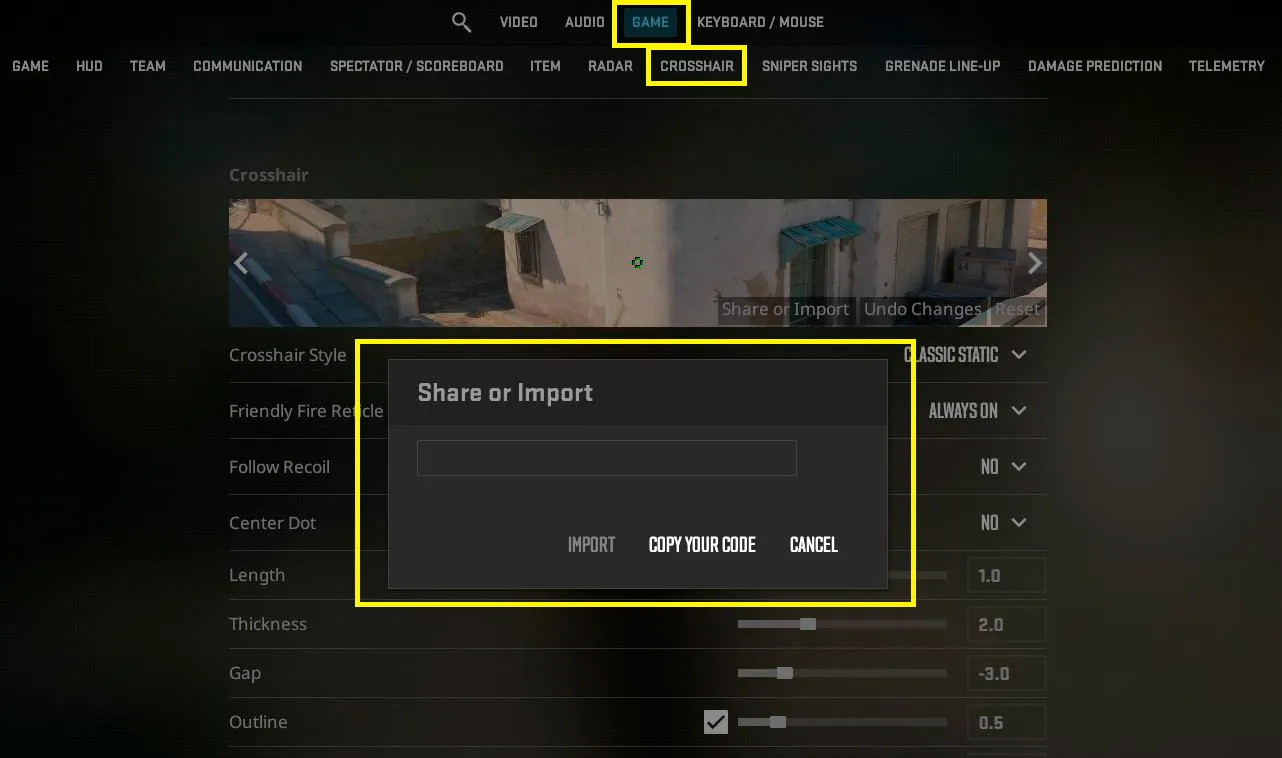
- The Standard In-Game Menu: Head over to Settings -> Game -> Crosshair. The 2026 preview UI has finally been fixed: you can now check how your crosshair contrasts against actual map textures (Dust 2, Mirage, Ancient) directly inside the settings window.
- Crosshair Import Codes: The absolute laziest and fastest route. You just copy a weird string of characters, paste it into the game, and boom - you have the exact crosshair of a Major MVP.
- The Developer Console (~): Built for players who demand surgical precision and want to access hidden variables that aren’t exposed in the basic UI sliders.
How to Import a Crosshair Code in 4 Simple Steps
Got a crosshair code from a teammate, a Reddit thread, or a pro's stream? Here is how you boot it up:
- Hit the Gear Icon to open the game settings.
- Jump to the Game tab, then find the Crosshair sub-section.
- Click the Share or Import button right on the mini preview screen.
- Paste your code into the blank field and hit Import.
The Essential CS2 Crosshair Console Commands
If you’re old school and still build your own custom autoexec.cfg, or if you just need to make split-second changes via the console (~), here is your ultimate cheat sheet:
| Command | What It Actually Does | Example Value |
| cl_crosshairsize | The length of the crosshair lines (ticks) | 2 |
| cl_crosshairthickness | The thickness of the lines | 1 |
| cl_crosshairgap | The inner space between lines (the gap) | -2 |
| cl_crosshairdot | Toggles the center dot (0 = off, 1 = on) | 0 |
| cl_crosshair_drawoutline | Enables the black outline around the lines | 1 |
| cl_crosshaircolor | Set color (1-4 for defaults, 5 for custom RGB) | 5 |
| cl_crosshair_recoil | Makes the crosshair follow your weapon spray | 0 |
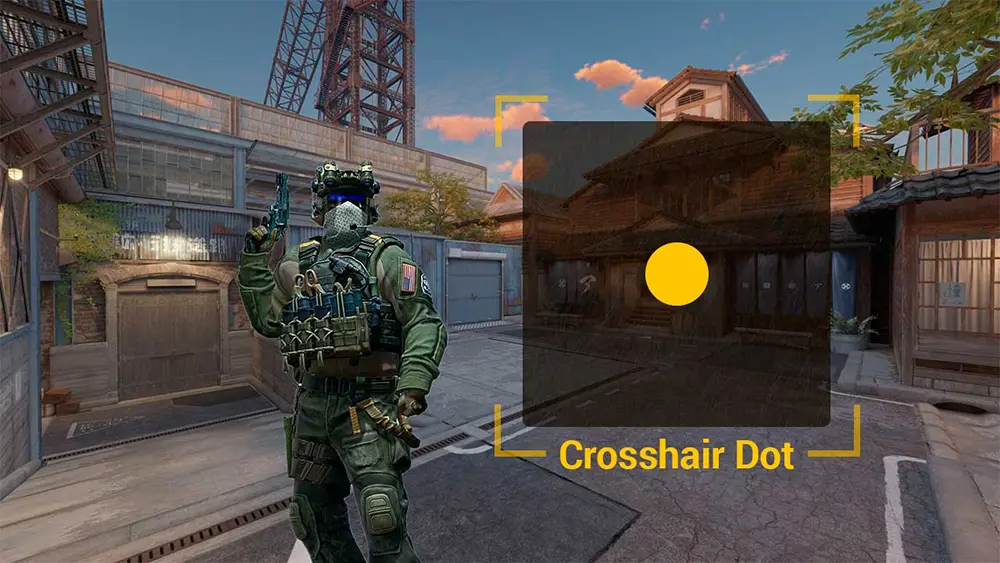
How to Set Up a Flawless "Dot" Crosshair
Minimalism is dominating the 2026 meta. Tons of players are swapping out traditional crosshairs for a tiny dot, ensuring their screen pixels don't block the enemy’s head during long-range duels down Dust 2's A-long.
To build a clean, hollow-less center dot, open your console and execute this string:
cl_crosshairsize 0;
cl_crosshairdot 1;
cl_crosshairthickness 1.5;
cl_crosshairgap -999;
cl_crosshair_drawoutline 1;
Interactive Generator Maps & Lobby Stealing
Even with Valve updating the default settings menu, community-driven tools are still a massive part of the ecosystem.
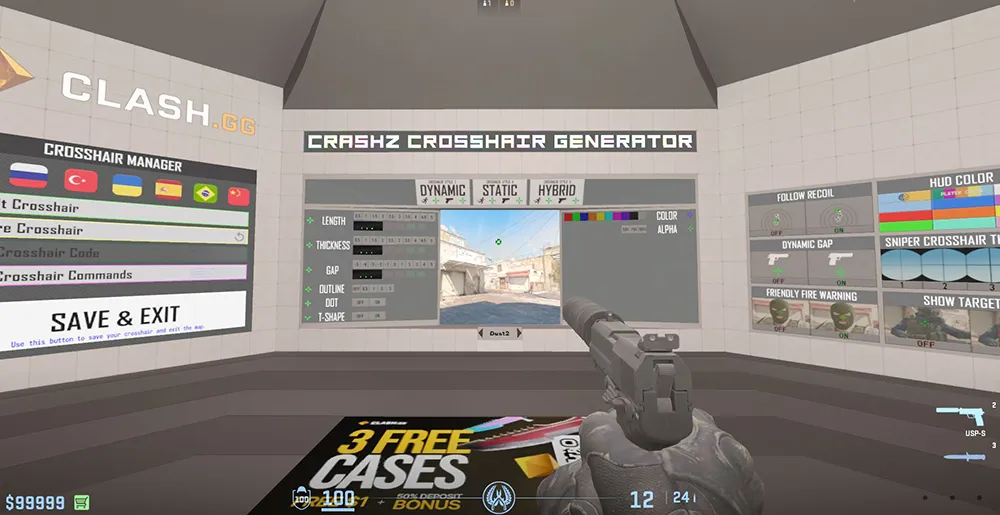
- Crashz' Crosshair Generator v4: The legendary Workshop map, completely rebuilt from scratch for the Source 2 engine. You literally walk up to a wall, shoot a pro team’s logo (G2, Spirit, NaVi), and instantly steal your idol's setup.
- Real-time Lobby Copying: A massive quality-of-life feature. If you hop into a private practice server with your friends, you don't even need to ask them for a code anymore. You can copy their exact crosshair instantly through the spectator UI while dead.
Meta Pro Player Crosshairs for the 2026 Season
While pros switch up their configs after every bad half, these three codes have remained the gold standard for the current competitive season:
- m0NESY (G2 Esports):
CSGO-7667b-ASvO5-Y9u7n-O6v9H-Y4u7D - donk (Team Spirit):
CSGO-HRU6p-7q66q-Y9u7n-O6v9H-Y4u7D - ZywOo (Team Vitality):
CSGO-Qzpx5-B6q87-OmY9u-O6v9H-Y4u7D
Is the "Follow Recoil" Feature Worth It?
Running the command cl_crosshair_recoil 1 forces your crosshair to shift dynamically across your screen, tracking the exact pattern of your bullets during an automatic spray.
- The Pros: Absolute godsend for beginners. It gives you instant visual feedback on how AK-47 or M4A1-S spray patterns actually behave.
- The Cons: It completely breaks muscle memory for veteran players who are used to keeping their crosshair centered while pulling down. Our take: Give it a spin in Deathmatch before taking it anywhere near Premier mode.
FAQ (Frequently Asked Questions)
How do I quickly steal a teammate's crosshair mid-match? While dead and spectating them, press TAB, right-click to free up your mouse cursor, click on their name plate, and hit the "Copy Crosshair" icon.
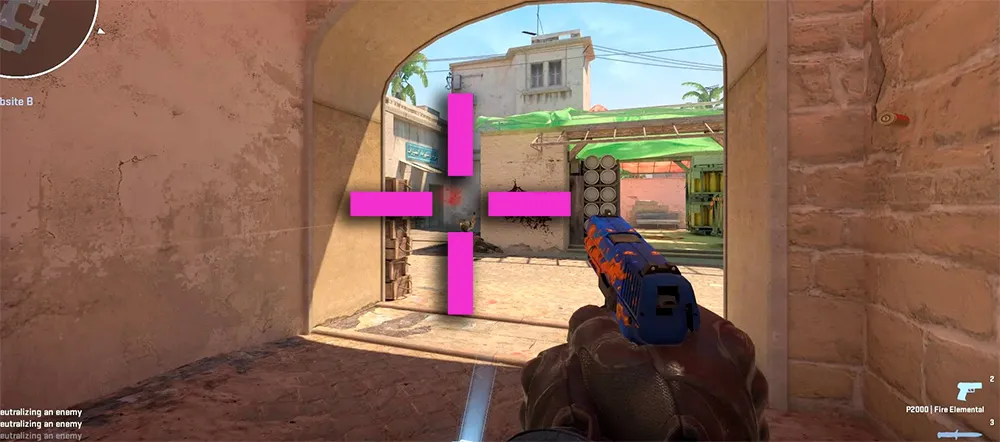
Which crosshair color gives the best contrast on all maps? Right now, pros heavily favor Bright Green, Hot Pink, or Cyan. These shades don't blend into the dull gray, yellow, and brown textures that dominate the CS2 map pool.
How do I completely hide my crosshair (e.g., for clean UI screenshots)? Drop crosshair 0 into the console. To turn it back on, use crosshair 1.
Why does my crosshair blow up and expand whenever I move or shoot? You have a dynamic crosshair style active. If you want it locked down like a statue, choose "Classic (Static)" in the interface or execute cl_crosshairstyle 4.
How do I make the black crosshair outlines thicker? Use cl_crosshair_outlinethickness. If you are playing on native 2K or 4K monitors, we highly recommend bumping this value to 1.5 or 2 so your crosshair doesn't dissolve into the background.